AurumStepper
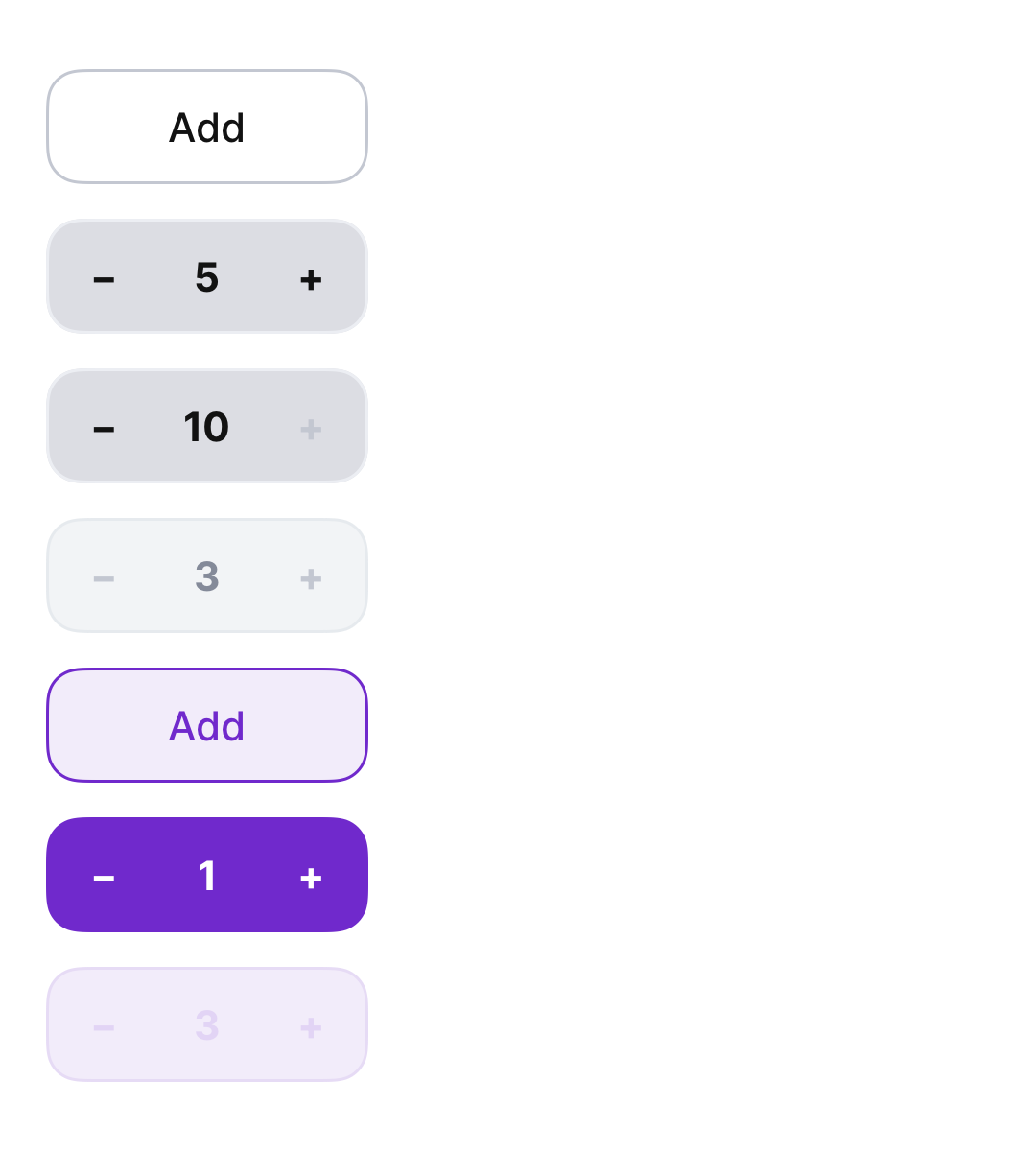
Aurum's numeric stepper — a compact container with decrease/value/ increase controls inside a single rounded container.
| family | Steppers |
|---|---|
| platform | iOS 17+ · SwiftUI |
| figma | component master ↗ |
| source | Sources/Aurum/Component/Input/AurumStepper.swift |
| code connect | FigmaConnect/Sources/AurumFigmaConnect/AurumStepper.figma.swift |
| snapshots | 1 baselines · iPhone 17 Pro · iOS 26.5 |
Aurum's numeric stepper — a compact container with decrease/value/
increase controls inside a single rounded container. The SwiftUI port
of aurum-android's AurumStepper (Figma node 4506:201).
When value equals minValue (typically 0), the stepper shows an
"Add" button instead of the ±/value layout, matching the Figma
"Initial State".
Intended use
Use for small bounded integer ranges where the user picks a count by incrementing — cart quantity, count of N selections, number of attendees. The "Initial State" / "Add" affordance handles the first-tap onboarding without the user needing to know the bounds. For free numeric input use AurumTextField with a numeric keyboard.
Do
- Set
maxValueto the real backend limit so the + control disables on the boundary instead of erroring after submission. - Use
.brandwhen the stepper is the surface's CTA-equivalent (e.g. "add to cart" flows);.neutralfor inline edit-existing-quantity rows. - Mirror the value back to the user with a clear running total / subtotal nearby — steppers shine when the consequence is visible.
Don’t
- Use for free numeric capture —
AurumTextFieldwith a numeric keyboard is the right primitive when the value range is open. - Render multiple steppers in a row controlling the same backing value; one canonical control per quantity.
- Skip the disabled state when the user hits
maxValue— letting them tap and silently fail breaks the bound contract.
Snapshots
Recorded on the pinned simulator — iPhone 17 Pro · iOS 26.5 · Xcode 26.6.
Code Connect
Mapped to Figma node 4506:201 ↗ — SwiftUI snippets appear in Dev Mode for the latest release.