AurumAmountInput
An amount-entry field: currency symbol + hero numeric value + optional derived suffix (e.g.
| family | Fields |
|---|---|
| platform | iOS 17+ · SwiftUI |
| figma | component master ↗ |
| source | Sources/Aurum/Component/Field/AurumAmountInput.swift |
| code connect | FigmaConnect/Sources/AurumFigmaConnect/AurumAmountInput.figma.swift |
| snapshots | 1 baselines · iPhone 17 Pro · iOS 26.5 |
An amount-entry field: currency symbol + hero numeric value + optional
derived suffix (e.g. gold grams). The SwiftUI port of aurum-android's
AurumAmountInput.
Delegates to AurumTextField with the entered amount as the hero of the
field — Num/XL per Figma vs the generic field's body style, with the
currency symbol one step down at Num/L.
Intended use
Use for monetary amount capture — buy/sell/save flows where the amount is the screen's central decision. The optional suffixText surfaces a live derived quantity ("= 0.5 gm"). For generic numeric capture use AurumTextField with a numeric keyboard.
Do
- Keep
suffixTextshort and derived — it renders as supporting context, not a second value. - Use
loading: truewhile the derived quote refreshes — the field locks and shows the spinner. - Validate on the
errorText/successTextchannels so borders and helper text stay in sync.
Don’t
- Pre-format the amount with grouping separators in the binding; format on display surfaces instead.
- Use for phone or OTP entry — dedicated primitives exist.
- Override the numeric type styles; the Num ramp is the Figma spec for money.
Snapshots
Recorded on the pinned simulator — iPhone 17 Pro · iOS 26.5 · Xcode 26.6.
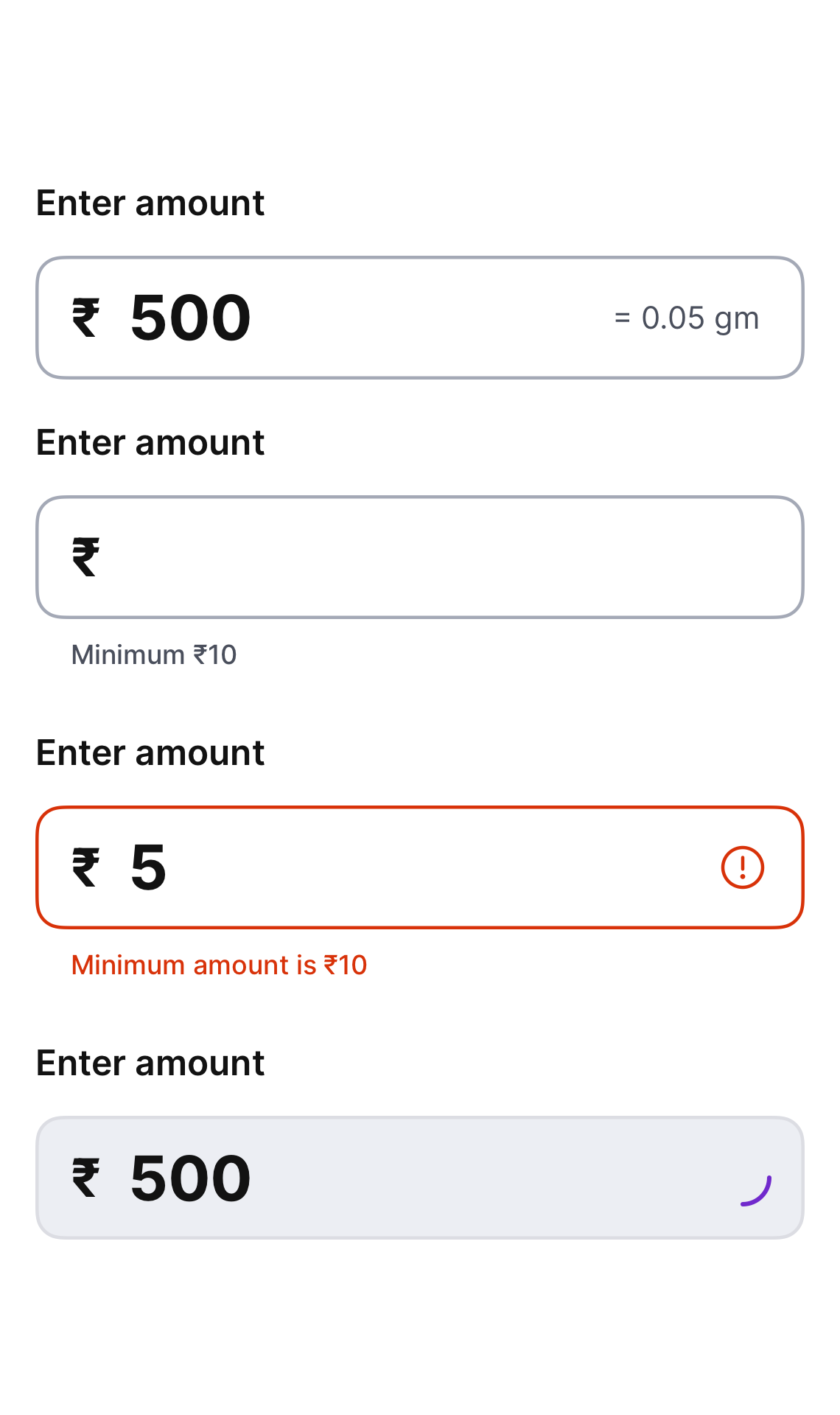
Code Connect
Mapped to Figma node 5080:261 ↗ — SwiftUI snippets appear in Dev Mode for the latest release.